

A table runs the same task across every record of a given type — every project, every employee, every order — without you clicking through each one.Documentation Index
Fetch the complete documentation index at: https://docs.vern.so/llms.txt
Use this file to discover all available pages before exploring further.
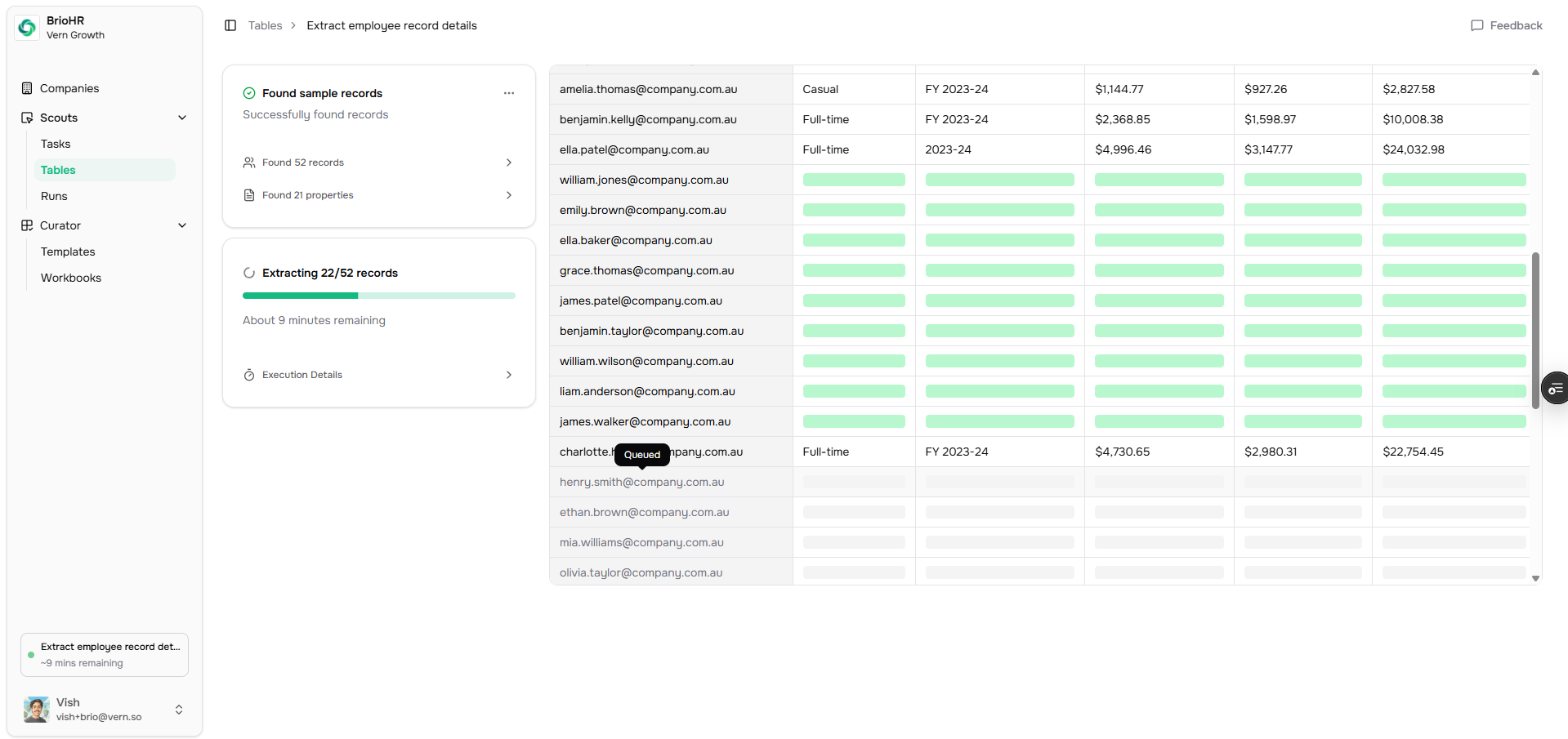
The customer must authenticate the source first. Tables don’t work on systems they haven’t granted access to.
Run a table
- Pick your task.
- Click Create table of runs → Find sample records. Vern’s agent probes the page, finds the list of records, and reads a couple to understand the shape.
- Review the properties it found (columns) and the identifier column. Adjust if needed.
- Approve and run. Vern queues a run for every record and collects results into one table.
When to use a table vs. a single run
- Table — “Get every project”, “Get every employee”, “Get every invoice”.
- Single run — “Get this one report”.
Output
The result is a structured table you can review, drop into a workbook sheet, or run through the import agent.Next
- How import works — clean the extracted data against your templates.