

Events
Configure separate endpoints for preview and production so test data never reaches your live database.
Set up an endpoint
Webhook delivery is powered by Svix.- Go to Settings → Webhooks. This opens the Svix portal.
- Click Add endpoint and paste the URL your app listens on.
- Subscribe to
workbook.production.exportand/orworkbook.preview.export. - Save.
Testing without an endpoint
For early testing, the Svix portal offers Svix Play — a temporary URL that catches and displays payloads in a web UI. Useful for proving your export fires before your real endpoint is wired up.Watch deliveries
From the Svix portal you can:- See every webhook delivered to each endpoint.
- Inspect the exact payload sent.
- Replay failed deliveries.
- Grab the signing secret your developers need to verify webhooks.
Verify the signature
Every webhook is signed. Verify the signature before trusting the payload:Retries
If your endpoint returns a non-2xx response, Svix retries automatically on a backoff schedule. Failed deliveries are visible in the Svix portal where you can replay them manually. Make your handler idempotent — retries can deliver the same event twice.Payload format
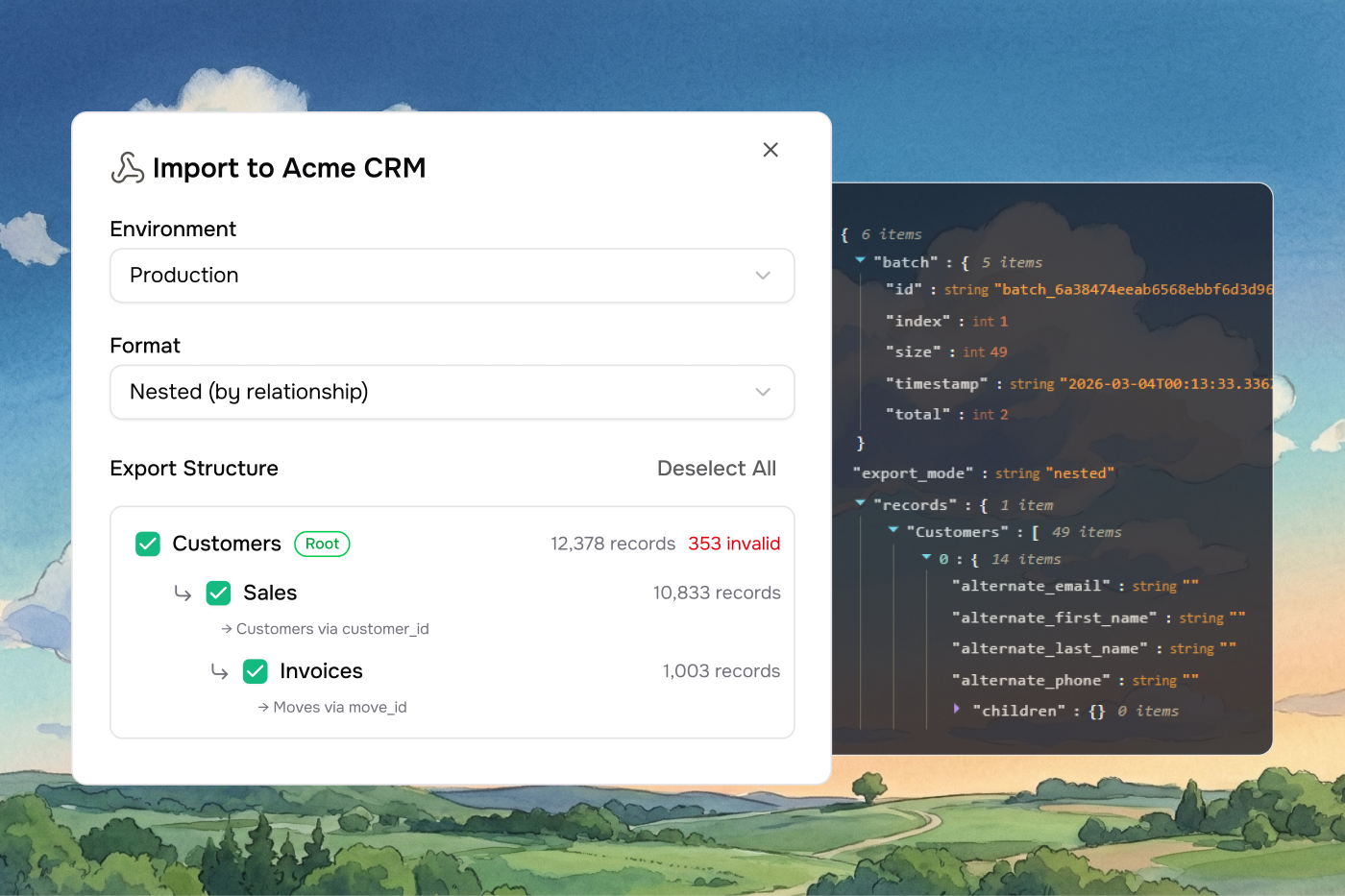
Workbook exports come in one of two shapes, depending on whether you chose flat or nested mode in the export dialog. Theversion field tells you which one:
1.0— flat2.0— nested
Flat payload (v1.0)
Each sheet is a separate array of row objects. Good when sheets are independent or when you handle relationships in your own system.Nested payload (v2.0)
Child sheets are nested under their parents using link rules. Good when sheets have foreign-key relationships and you want them grouped.
Each nested record has its column values, an
errors array, a row_index, and a children object keyed by child sheet name. Vern handles circular link rules cleanly — back-edges are treated as references and don’t cause infinite recursion.
Batching
Large exports split across multiple batches to stay within payload size limits. Each webhook delivery is one batch.
Flat (v1.0) batches by payload size — each batch targets 256 KB with a 512 KB ceiling. Large sheets split across batches using
start_row_index / end_row_index.
Nested (v2.0) batches by root record count — up to 50 roots per batch. A root and all its descendants are always delivered together.
Reassembling batches
- Group by
batch.id. - Order by
batch.index. batch.index === batch.total - 1means it’s the last one.- Flat: concatenate each sheet’s
dataarrays in index order. - Nested: concatenate the
dataarrays for each root sheet name across batches.
Best practices
- Verify the signature on every request.
- Make your handler idempotent — retries can deliver the same event twice.
- Return 200 quickly. Do heavy work asynchronously.
- Store the raw payload until you’ve fully processed it.
- Match the
external_idback to your customer record on receipt.