

Important: Before running a scrape, your customer must have signed in and authorized Scouts via a Link. The Link allows Scouts to access and scrape data on their behalf.
What Are Runs?
A Run is a single execution of a Task. Think of it this way: a Task is the recipe, and a Run is actually cooking the meal. When you create a Run, you’re telling a Scout to go perform that Task right now with the specific inputs you provide.Single Runs
Single Runs are perfect when you want to scrape a single report or item. For example, if you want to scrape a single Employees report, you would create a single Run rather than iterating through each Employee entry on a page. Single Runs are ideal for:- Scraping one specific document or report
- Getting data from a single page or source
- Quick, one-time data scrapes
How Runs Work
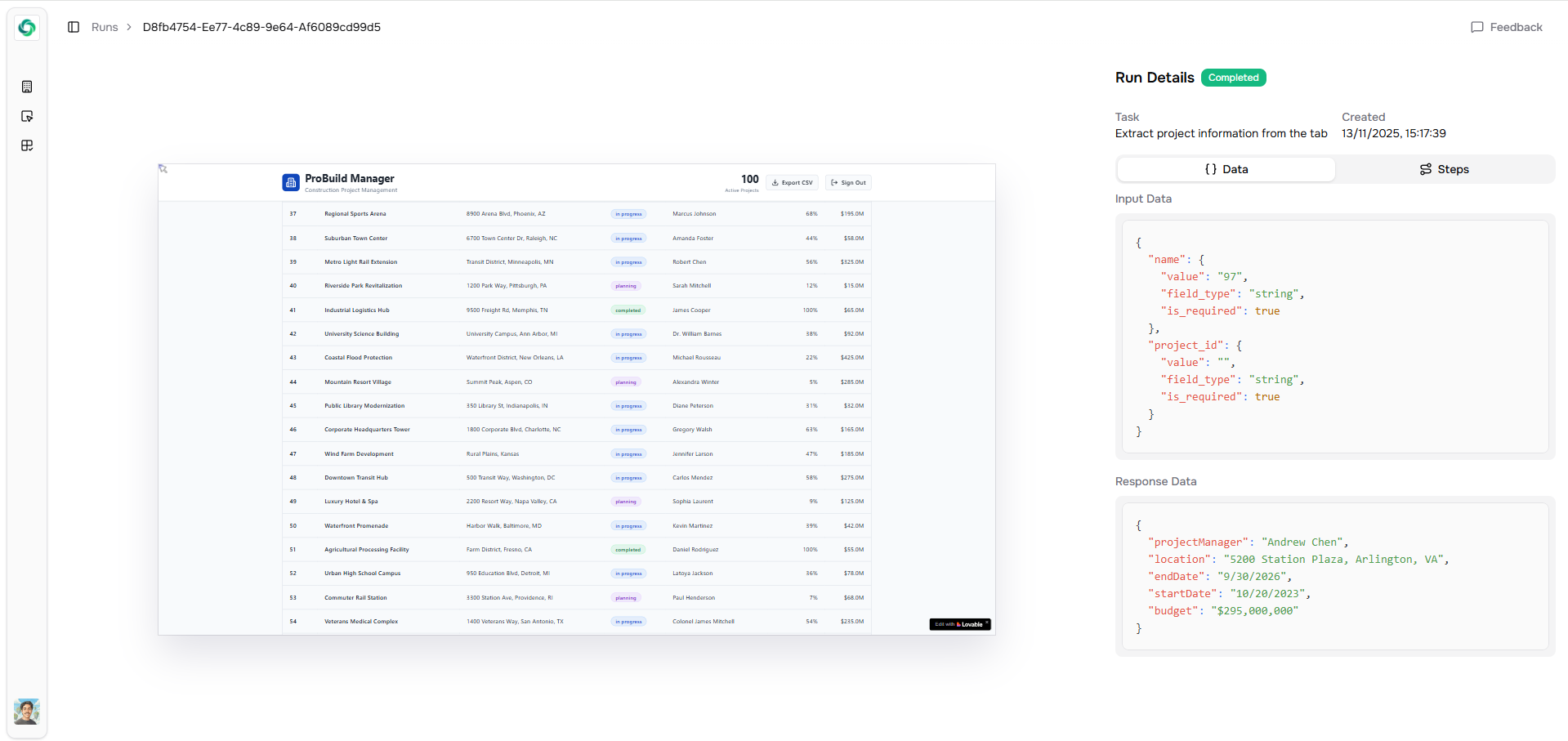
- Validates the information you provided
- Navigates to the appropriate website
- Performs the actions defined in the Task
- Scrapes and returns the requested data
When to Use Single Runs vs Tables
Use a single Run when you need to scrape one specific item or report. Use Tables when you need to scrape multiple records of the same type (like all Projects or all Employees). Tables automatically handle iterating through multiple entries, while single Runs focus on one specific scrape.Tracking Runs
Each Run tracks its execution status, so you can see:- When the Run was created
- When it started executing
- When it completed
- What data was scraped