Documentation Index
Fetch the complete documentation index at: https://docs.vern.so/llms.txt
Use this file to discover all available pages before exploring further.
When you export a workbook with the Webhook option, Vern POSTs the cleaned rows to an endpoint you control. Set the endpoint up once and every future export streams to your app automatically.
Events
| Event | When it fires |
|---|
workbook.production.export | A production export from a workbook. |
workbook.preview.export | A staging/preview export from a workbook. |
Set up an endpoint
Webhook delivery is powered by Svix.
- Go to Settings → Webhooks. This opens the Svix portal.
- Click Add endpoint and paste the URL your app listens on.
- Subscribe to
workbook.production.export and/or workbook.preview.export.
- Save.
When you next export a workbook, the matching endpoint receives the payload.
Testing without an endpoint
For early testing, the Svix portal offers Svix Play — a temporary URL that catches and displays payloads in a web UI. Useful for proving your export fires before your real endpoint is wired up.
Watch deliveries
From the Svix portal you can:
- See every webhook delivered to each endpoint.
- Inspect the exact payload sent.
- Replay failed deliveries.
- Grab the signing secret your developers need to verify webhooks.
Verify the signature
Every webhook is signed. Verify the signature before trusting the payload:
import { Webhook } from "svix";

const secret = process.env.SVIX_WEBHOOK_SECRET;

app.post("/webhook", express.raw({ type: "application/json" }), (req, res) => {
  const wh = new Webhook(secret);
  let event;
  try {
    event = wh.verify(req.body, req.headers);
  } catch {
    return res.status(400).end();
  }
  // event is now trusted
  res.status(200).end();
});
Retries
If your endpoint returns a non-2xx response, Svix retries automatically on a backoff schedule. Failed deliveries are visible in the Svix portal where you can replay them manually.
Make your handler idempotent — retries can deliver the same event twice.
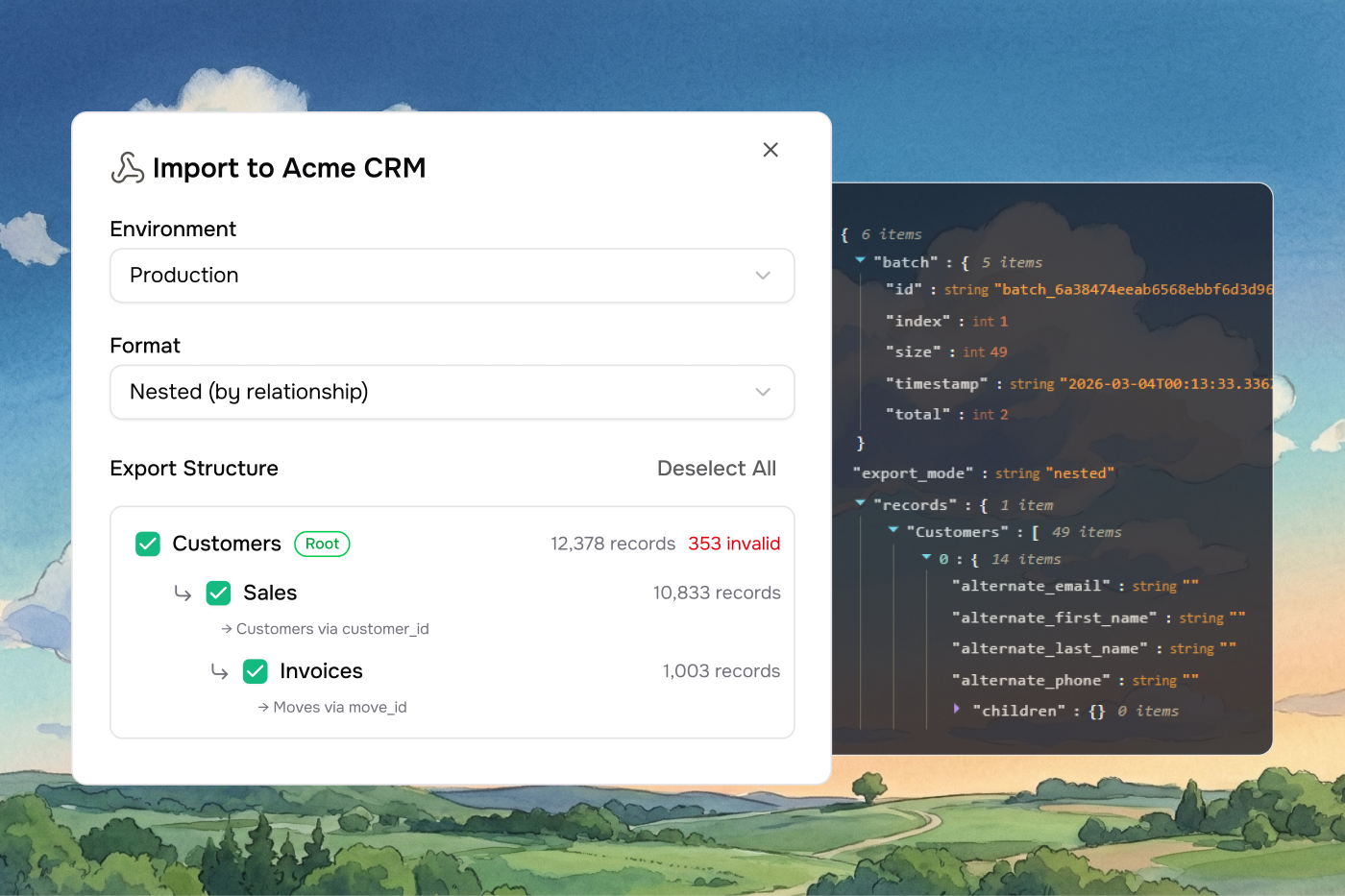
Workbook exports come in one of two shapes, depending on whether you chose flat or nested mode in the export dialog. The version field tells you which one:
Flat payload (v1.0)
Each sheet is a separate array of row objects. Good when sheets are independent or when you handle relationships in your own system.
{
  "version": "1.0",
  "workbook_id": "wb_abc123",
  "external_id": "your-external-id",
  "batch": {
    "id": "batch_a1b2c3d4e5f6...",
    "index": 0,
    "total": 3,
    "size": 150,
    "timestamp": "2026-05-12T12:00:00.000Z"
  },
  "sheets": [
    {
      "id": "sheet_001",
      "name": "Contacts",
      "row_count": 150,
      "start_row_index": 0,
      "end_row_index": 149,
      "data": [
        {
          "First Name": "Jane",
          "Last Name": "Doe",
          "Email": "jane@example.com",
          "errors": [],
          "row_index": 0
        },
        {
          "First Name": "John",
          "Last Name": "Smith",
          "Email": "john@example.com",
          "errors": ["Email domain not allowed"],
          "row_index": 1
        }
      ]
    }
  ]
}
| Field | Type | Description |
|---|
version | string | Always "1.0" for flat payloads. |
workbook_id | string | ID of the exported workbook. |
external_id | string | null | The external_id you passed when creating the company. |
batch | object | Batch metadata (see Batching). |
sheets[] | array | Sheet objects. |
sheets[].id | string | Sheet ID. |
sheets[].name | string | Sheet name. |
sheets[].row_count | number | Number of rows in this batch. |
sheets[].start_row_index | number | Starting row index (0-based). |
sheets[].end_row_index | number | Ending row index (inclusive). |
sheets[].data[] | array | Row objects: column keys + errors array + row_index. |
Nested payload (v2.0)
Child sheets are nested under their parents using link rules. Good when sheets have foreign-key relationships and you want them grouped.
{
  "version": "2.0",
  "workbook_id": "wb_abc123",
  "company_name": "Acme Corp",
  "external_id": "your-external-id",
  "export_mode": "nested",
  "batch": {
    "id": "batch_a1b2c3d4e5f6...",
    "index": 0,
    "total": 2,
    "size": 50,
    "timestamp": "2026-05-12T12:00:00.000Z"
  },
  "root_sheets": ["Departments"],
  "data": {
    "Departments": [
      {
        "Department Name": "Engineering",
        "Location": "San Francisco",
        "errors": [],
        "row_index": 0,
        "children": {
          "Employees": [
            {
              "Name": "Jane Doe",
              "Role": "Engineer",
              "Department": "Engineering",
              "errors": [],
              "row_index": 0,
              "children": {}
            }
          ]
        }
      }
    ]
  }
}
| Field | Type | Description |
|---|
version | string | Always "2.0". |
workbook_id | string | ID of the exported workbook. |
company_name | string | Name of the company that owns the workbook. |
external_id | string | null | The external_id you passed at company creation. |
export_mode | string | Always "nested". |
batch | object | Batch metadata. |
root_sheets[] | string[] | Names of the root sheets in the hierarchy. |
data | object | Keyed by root sheet name. Each value is an array of records. |
errors array, a row_index, and a children object keyed by child sheet name. Vern handles circular link rules cleanly — back-edges are treated as references and don’t cause infinite recursion.
Batching
Large exports split across multiple batches to stay within payload size limits. Each webhook delivery is one batch.
| Field | Type | Description |
|---|
batch.id | string | Shared across all batches in the same export. |
batch.index | number | 0-based index of this batch. |
batch.total | number | Total number of batches. |
batch.size | number | Records in this batch. |
batch.timestamp | string | ISO 8601 creation time. |
start_row_index / end_row_index.
Nested (v2.0) batches by root record count — up to 50 roots per batch. A root and all its descendants are always delivered together.
Reassembling batches
- Group by
batch.id.
- Order by
batch.index.
batch.index === batch.total - 1 means it’s the last one.- Flat: concatenate each sheet’s
data arrays in index order.
- Nested: concatenate the
data arrays for each root sheet name across batches.
Best practices
- Verify the signature on every request.
- Make your handler idempotent — retries can deliver the same event twice.
- Return 200 quickly. Do heavy work asynchronously.
- Store the raw payload until you’ve fully processed it.
- Match the
external_id back to your customer record on receipt.