Documentation Index Fetch the complete documentation index at: https://docs.vern.so/llms.txt
Use this file to discover all available pages before exploring further.
Vern sends workbook export data to your configured webhook endpoints via Svix . Exports can be triggered in two modes — flat and nested — and delivered to either preview or production environments.
Event Types Event Type Description workbook.preview.exportExport sent to preview webhook endpoints workbook.production.exportExport sent to production webhook endpoints
Both event types can carry either a flat or nested payload. The version field in the payload indicates the format:
1.0 = Flat payload2.0 = Nested payload
You can configure separate webhook endpoints for preview and production events in the Vern Dashboard . This allows you to test webhook integrations against preview endpoints before routing production data.
Flat vs Nested Flat (v1.0) sends each sheet as a separate array of row objects. Use this when:
You want a simple, tabular structure
Sheets are independent or you handle relationships in your own system
You need backwards compatibility with existing integrations
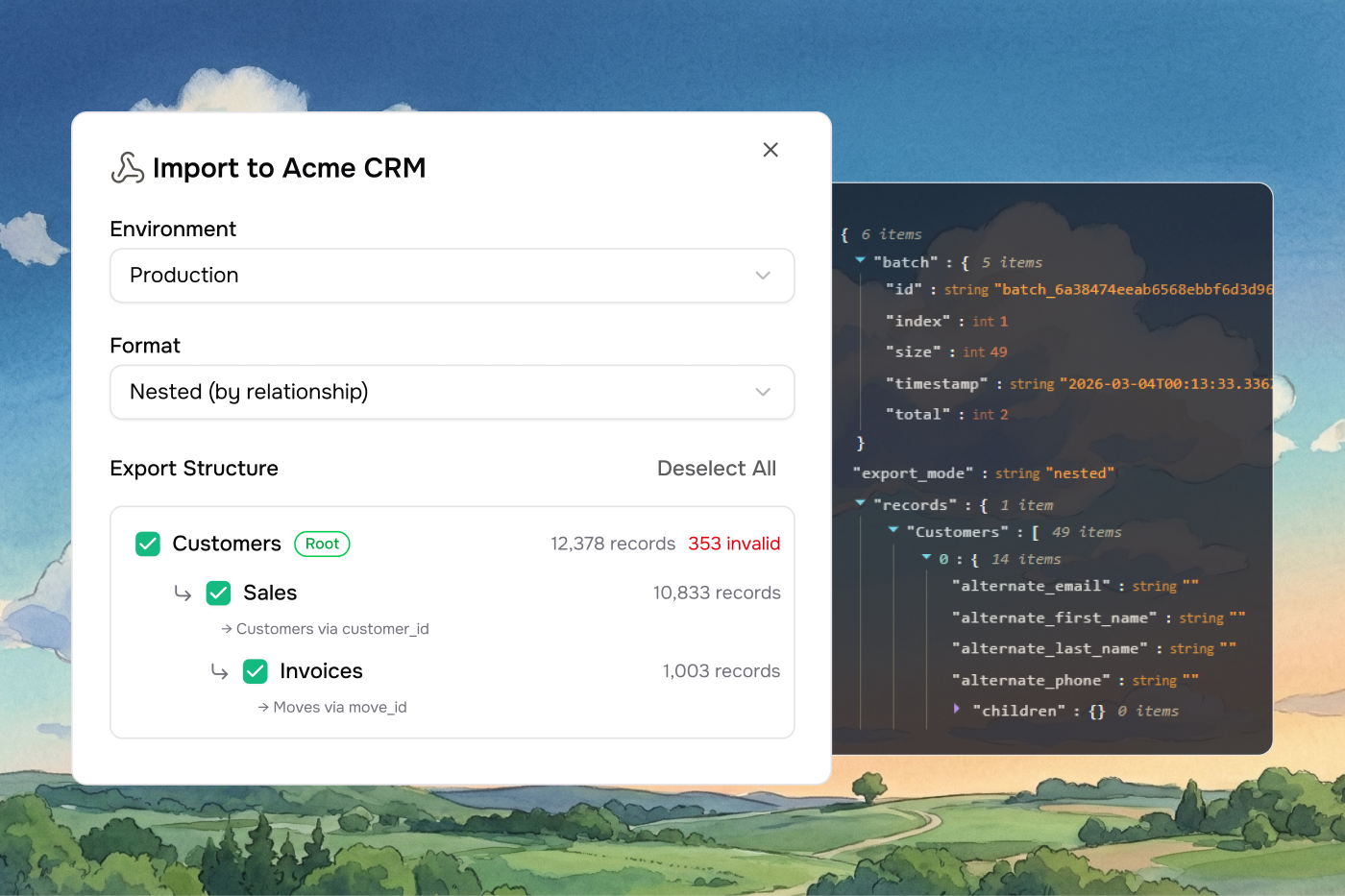
Nested (v2.0) preserves parent-child relationships between sheets using link rules. Use this when:
Your sheets have foreign key relationships (link rules)
You want hierarchical data delivered as a single tree structure
You need child records grouped under their parent records
Flat Payload (v1.0) { "version" : "1.0" , "workbook_id" : "wb_abc123" , "external_id" : "your-external-id" , "batch" : { "id" : "batch_a1b2c3d4e5f6..." , "index" : 0 , "total" : 3 , "size" : 150 , "timestamp" : "2025-01-15T12:00:00.000Z" }, "sheets" : [ { "id" : "sheet_001" , "name" : "Contacts" , "row_count" : 150 , "start_row_index" : 0 , "end_row_index" : 149 , "data" : [ { "First Name" : "Jane" , "Last Name" : "Doe" , "Email" : "jane@example.com" , "errors" : [], "row_index" : 0 }, { "First Name" : "John" , "Last Name" : "Smith" , "Email" : "john@example.com" , "errors" : [ "Email domain not allowed" ], "row_index" : 1 } ] } ] }
Flat Payload Fields Field Type Description versionstringAlways "1.0" for flat payloads workbook_idstringThe ID of the exported workbook external_idstring | nullOptional external identifier from the company batchobjectBatch metadata (see Batching ) sheetsarrayArray of sheet objects sheets[].idstringSheet ID sheets[].namestringSheet name sheets[].row_countnumberNumber of rows in this batch for this sheet sheets[].start_row_indexnumberStarting row index (0-based) sheets[].end_row_indexnumberEnding row index (inclusive) sheets[].dataarrayArray of row objects with column values, errors, and row_index
Each row object in data contains your column names as keys, plus:
errors — an array of validation error strings (empty if the row is valid)row_index — the original row position in the sheet
Nested Payload (v2.0) { "version" : "2.0" , "workbook_id" : "wb_abc123" , "company_name" : "Acme Corp" , "external_id" : "your-external-id" , "export_mode" : "nested" , "batch" : { "id" : "batch_a1b2c3d4e5f6..." , "index" : 0 , "total" : 2 , "size" : 50 , "timestamp" : "2025-01-15T12:00:00.000Z" }, "root_sheets" : [ "Departments" ], "data" : { "Departments" : [ { "Department Name" : "Engineering" , "Location" : "San Francisco" , "errors" : [], "row_index" : 0 , "children" : { "Employees" : [ { "Name" : "Jane Doe" , "Role" : "Engineer" , "Department" : "Engineering" , "errors" : [], "row_index" : 0 , "children" : { "Projects" : [ { "Project Name" : "API Redesign" , "Status" : "Active" , "Owner" : "Jane Doe" , "errors" : [], "row_index" : 0 , "children" : {} } ] } } ] } } ] } }
Nested Payload Fields Field Type Description versionstringAlways "2.0" for nested payloads workbook_idstringThe ID of the exported workbook company_namestringName of the company that owns the workbook external_idstring | nullOptional external identifier from the company export_modestringAlways "nested" batchobjectBatch metadata (see Batching ) root_sheetsstring[]Names of the root-level sheets in the hierarchy dataobjectKeyed by root sheet name, each containing an array of nested records
Nested Record Structure Each record in the nested payload contains:
Field Type Description [column]anyColumn values from the sheet errorsarrayValidation errors for this row row_indexnumberOriginal row position in the sheet childrenobjectChild records keyed by child sheet name. Empty {} if no children.
Child records are matched to their parents using link rule columns (foreign keys). The hierarchy is determined by a BFS traversal of the sheet relationship graph — sheets with no incoming edges become roots, and cycles are broken by classifying back-edges as reference edges.
Batching Large exports are split into multiple batches to stay within payload size limits. Each webhook delivery represents one batch.
Batch Object Field Type Description idstringUnique batch ID shared across all batches in the same export (e.g., batch_a1b2c3...) indexnumber0-based index of this batch totalnumberTotal number of batches in the export sizenumberNumber of records in this batch timestampstringISO 8601 timestamp of when this batch was created
Batch Size Limits
Flat (v1.0) Batched by payload size. Each batch targets 256 KB with a soft limit of 512 KB . Large sheets are automatically split across multiple batches using the start_row_index and end_row_index fields.
Nested (v2.0) Batched by root record count. Each batch contains up to 50 root records to keep parent-child groups atomic — a root record and all its nested children are always delivered together in the same batch.
Reassembling Batched Exports To reconstruct a complete export from multiple batches:
Use batch.id to group batches belonging to the same export
Use batch.index to order them (0-based)
Check batch.index === batch.total - 1 to confirm you’ve received the final batch
Flat: concatenate each sheet’s data arrays, using start_row_index / end_row_index to position rows correctlyNested: concatenate the data arrays for each root sheet name across batches